
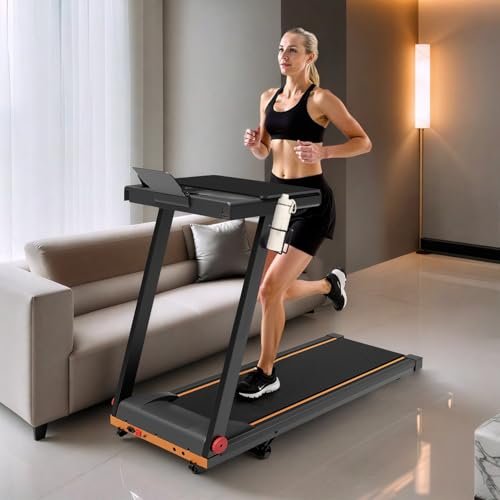
Superun’s adjustable-height standing desk, magnetic drink holder and reusable hook-and-loop cable ties help organize the space around your fitness equipment. Set your screen and keyboard at a comfortable height, keep a water bottle within reach and route cables away from your feet. Before combining accessories with a treadmill, check dimensions, mounting surfaces and clearance for moving parts.
Superun Desk 1 Adjustable Height Standing Desk 32 × 19 Inch
Description
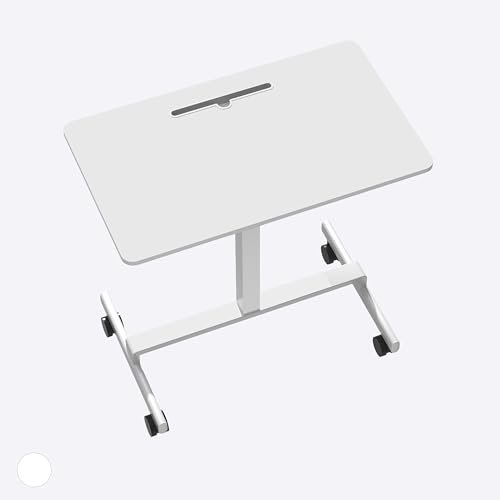
The Superun Desk 1 is an adjustable-height standing desk designed for home offices, study areas, and compact workspaces. Its 32 × 19-inch desktop provides room for a laptop, monitor, keyboard, and other everyday essentials. The pneumatic height adjustment system allows users to switch between sitting and standing positions without an electrical connection.
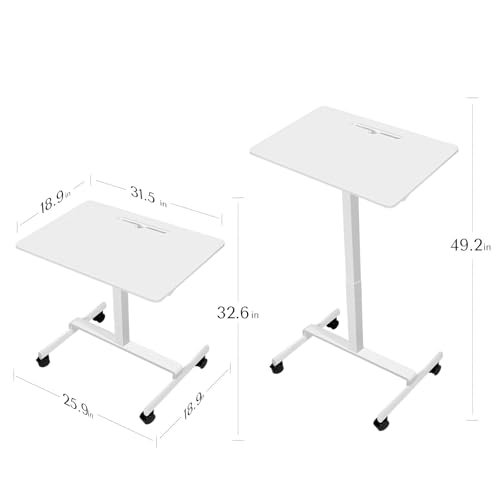
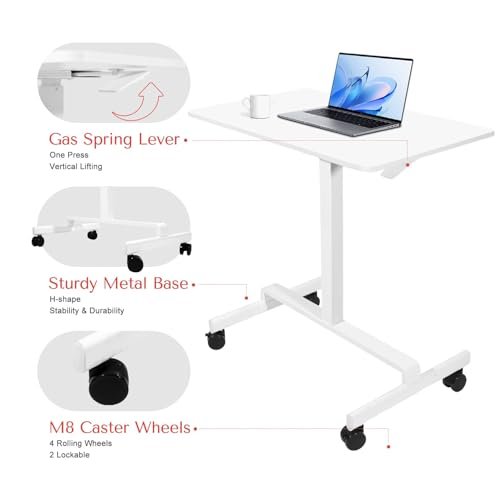
A gas spring mechanism provides continuous height adjustment from 32.7 to 49.2 inches. Users can raise or lower the desktop by operating a lever, making it easier to adapt the workstation to different activities and working positions. The manual adjustment system eliminates the need for power outlets, motors, or electrical cables.
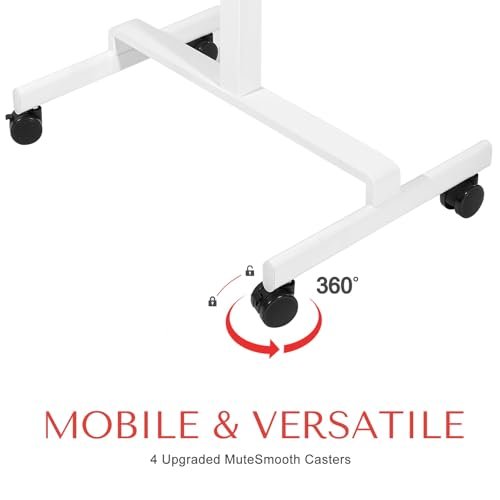
The desk features a reinforced double-beam metal frame designed to improve stability during typing and other desktop tasks. Four caster wheels allow the workstation to move between rooms, while two locking casters help keep it stationary during use.
Beyond computer work, the desk can function as a mobile laptop station, student study table, bedside workstation, or presentation podium. Its compact footprint makes it suitable for apartments, dorm rooms, and shared workspaces. Assembly is required, with instructions and installation tools included.
Features
- Pneumatic gas spring mechanism provides smooth, continuous height adjustment without electricity
- Adjustable desktop height ranges from 32.7 to 49.2 inches
- Compact 32 × 19-inch work surface accommodates common computer and office accessories
- Four caster wheels allow the workstation to move between rooms
- Two locking casters help secure the desk during use
- Reinforced double-beam metal frame provides structural support and stability
- Suitable for seated work, standing tasks, studying, and mobile presentations
- Includes assembly instructions and required installation tools
Specifications
- Brand
- Superun
- Model
- Desk 1
- Part Number
- 1
- Product Type
- Adjustable Height Standing Desk
- Color
- White
- Desktop Size
- 32 × 19 inches
- Height Range
- 32.7–49.2 inches
- Minimum Height
- 32.7 inches
- Maximum Height
- 49.2 inches
- Height Adjustment
- Pneumatic Gas Spring
- Power Source
- Manual, No Electricity Required
- Frame Material
- Metal
- Frame Design
- Reinforced Double-Beam
- Dimensions
- 32 × 19 × 32.7 (units not specified)
- Item Weight
- 23.59 (units not specified)
- Caster Wheels
- 4
- Locking Casters
- 2
- Assembly Required
- Yes
- Included Components
- Assembly Tools, Instructions
Superun Cup 1 Magnetic Stainless Steel Drink Holder
Description
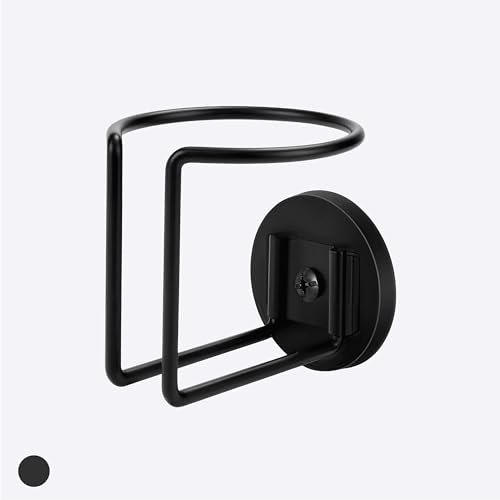
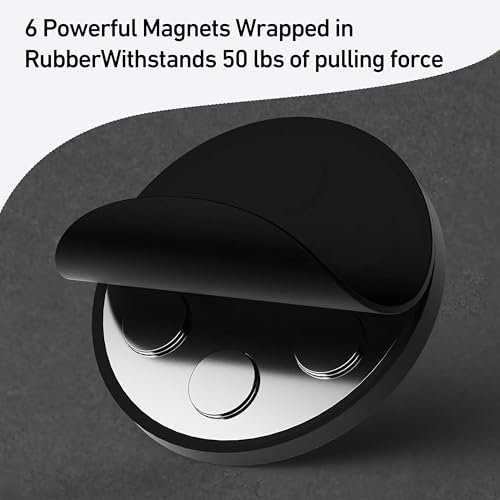
The Superun Cup 1 is a magnetic drink holder designed to keep beverages and small essentials within easy reach. Made from corrosion-resistant 304 stainless steel, it provides a practical storage option for exercise equipment, work vehicles, and household metal surfaces. Its magnetic base allows attachment without drilling, screws, or adhesives.
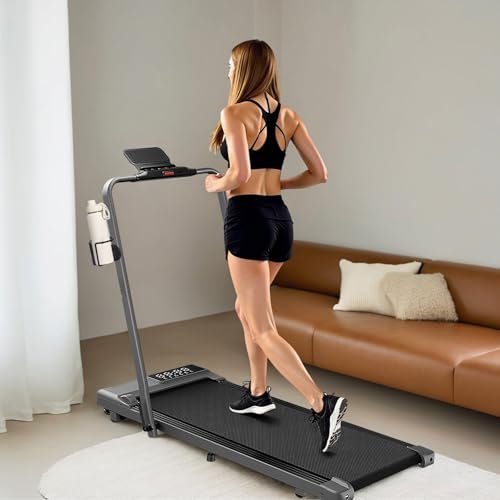
The holder is designed for use on compatible ferromagnetic surfaces, including steel treadmill frames, refrigerators, metal toolboxes, tractors, forklifts, and riding lawn mowers. Built-in magnets help keep the holder in position, while a specially treated base is intended to reduce scratching on painted or coated surfaces.
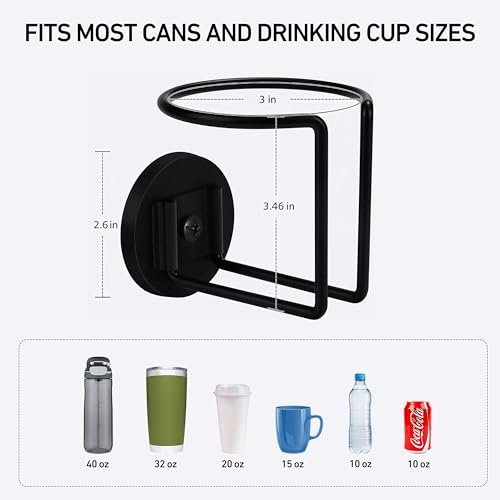
The open-top design accommodates various beverage containers, including standard soda cans, water bottles, coffee mugs, and travel tumblers, depending on their dimensions. It can also be used to organize small items such as keys, pens, phones, or lightweight tools.
No assembly is required, and the holder can be removed or repositioned as needed. Magnetic holding strength depends on the thickness and condition of the mounting surface, as well as the weight of the contents. The holder should be attached to a clean, stable metal surface and checked for secure contact before use, particularly on moving equipment.
Features
- Magnetic mounting base attaches to compatible ferromagnetic surfaces without tools or drilling
- 304 stainless steel construction provides durability and corrosion resistance
- Suitable for compatible treadmills, refrigerators, toolboxes, and heavy equipment
- Open-top design accommodates various beverage containers and small accessories
- Treated magnetic base is designed to reduce scratching on contact surfaces
- Removable construction allows easy repositioning between different metal surfaces
- No screws, adhesives, or permanent installation required
Specifications
- Brand
- Superun
- Model
- Cup 1
- Part Number
- Cup 1
- Product Type
- Magnetic Drink Holder
- Material
- 304 Stainless Steel
- Mounting Type
- Magnetic
- Compatible Surfaces
- Ferromagnetic Metal
- Dimensions
- 3 × 2.6 × 3.46 (units not specified)
- Installation Type
- Tool-Free Magnetic Attachment
- Assembly Required
- No
- Quantity
- 1
Superun 10-Inch Reusable Hook and Loop Cable Ties, 50 Pack
Description
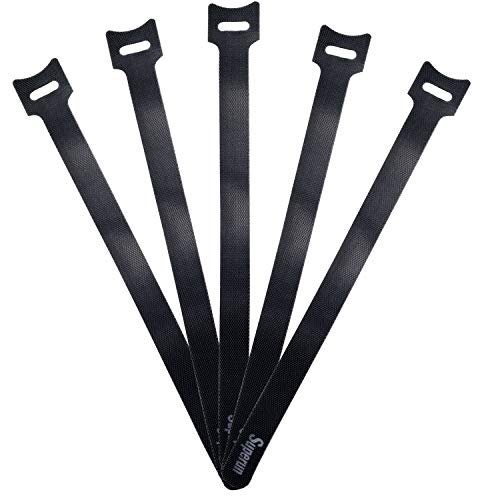
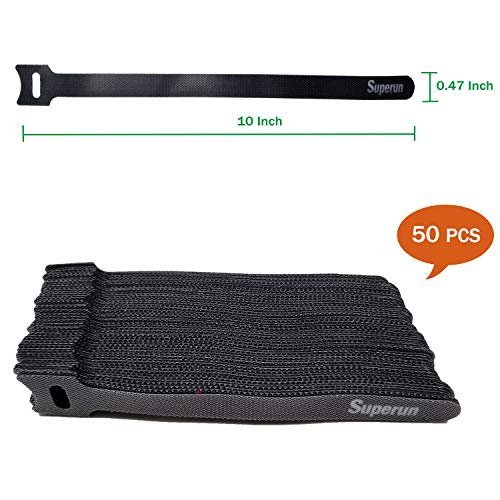
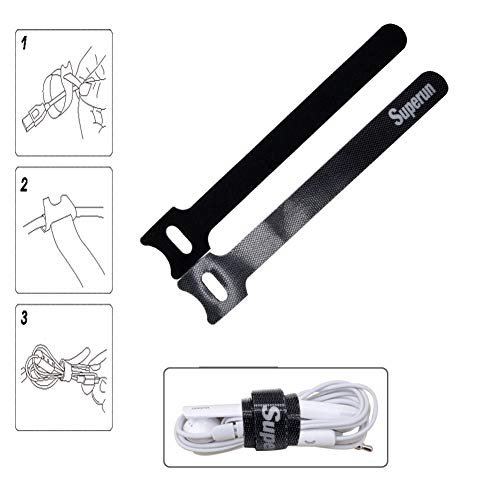
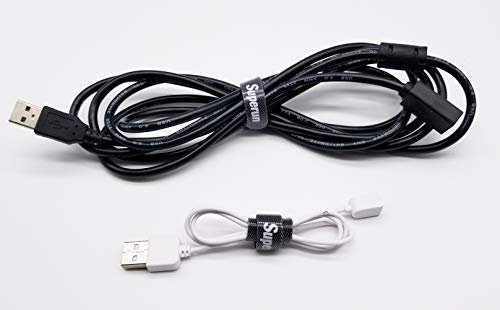
The Superun hook-and-loop cable ties provide a reusable solution for organizing loose wires and cords. Each tie measures 10 inches long and 0.47 inches wide, making it suitable for bundling charging cables, computer cords, headphone wires, and other everyday electrical cables. The package contains 50 black cable ties.
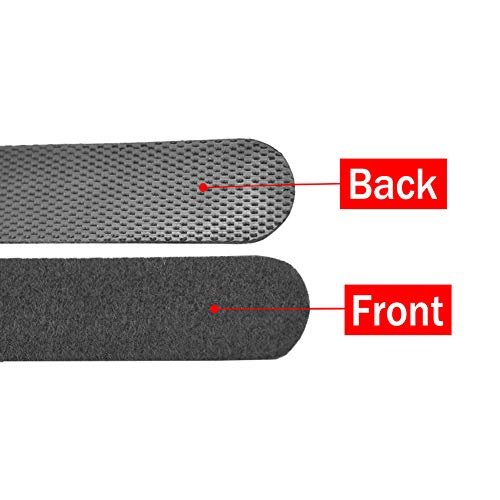
Made from microfiber cloth with a hook-and-loop fastening surface, the ties wrap around cable bundles and attach to themselves. Their adjustable design allows users to secure different bundle sizes without cutting, twisting, or applying adhesive. The fastening mechanism can be opened and closed repeatedly, making it convenient when cables need to be added, removed, or rearranged.
These cable organizers can be used around desks, entertainment centers, computer workstations, home offices, and studio equipment. They help keep cables grouped together and reduce loose wiring around frequently used devices.
Unlike disposable cable ties, the hook-and-loop design allows easy removal and reuse. The flexible fabric construction is also suitable for organizing cables that require occasional adjustment or relocation. The ties are intended for bundling and organizing cords rather than supporting heavy equipment or securing structural loads.
Features
- Reusable hook-and-loop fastening allows repeated opening and closing
- Each cable tie measures 10 × 0.47 inches
- Microfiber cloth construction provides a flexible wrapping surface
- Adjustable fastening accommodates different cable bundle sizes
- Suitable for charging cables, computer cords, headphones, and electrical wires
- Removable design makes adding or rearranging cables easier
- Pack of 50 black cable ties for home, office, and studio organization
Specifications
- Brand
- Superun
- Product Type
- Reusable Cable Ties
- Color
- Black
- Material
- Microfiber Cloth
- Fastening Type
- Hook and Loop
- Length
- 10 inches / 250 mm
- Width
- 0.47 inches / 12 mm
- Size
- 10 inches
- Reusable
- Yes
- Adjustable
- Yes
- Quantity
- 50 Pack
Walking While Working: Match the Pace to the Task
A standing desk and a compatible under-desk treadmill let you alternate sitting, standing and walking. The aim is to add comfortable movement without making your work harder. Start at the lowest practical speed and try short sessions before extending them.
| Computer task | How to approach desk walking |
|---|---|
| Listening to a webinar or recorded presentation | A useful starting point: little precise mouse or keyboard work is required. Keep your attention on your position on the belt, too. |
| Reading routine emails or browsing documents | Try a slow pace. If text becomes difficult to follow or you start leaning toward the screen, stop walking. |
| Informal calls | Walk slowly if you can speak comfortably. Check whether footsteps or the motor are audible through your microphone. |
| Drafting notes or familiar text | Continue only while typing remains comfortable and accurate. Slow down if your shoulders tense or your hands press heavily on the desk. |
| Detailed spreadsheets, coding or proofreading | Consider standing still or sitting when precision and concentration matter. Use walking for easier parts of the task. |
| Graphic design, photo editing or precise mouse work | Pause the treadmill. Body movement can make fine cursor control more difficult. |
| Important presentations or demanding meetings | Stop if walking distracts you, affects your voice or makes it harder to follow the discussion. |
Let the task set the pace. If you make more mistakes, grip the desk or lose track of where you are on the belt, walking is competing with your work.
Adjust the Desk for Your Height on the Treadmill
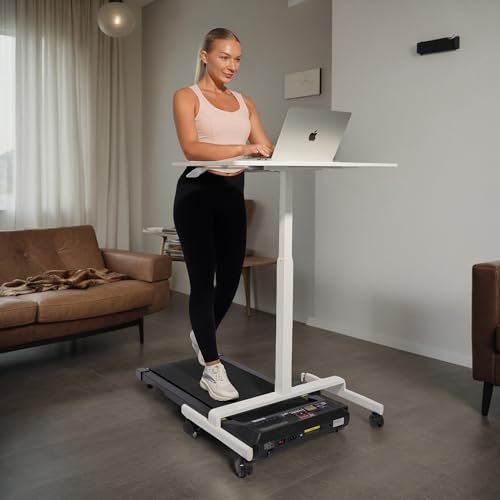
The treadmill deck raises your standing position, so a desk setting that works on the floor may be too low when you step onto the belt.
Set the keyboard around elbow height, with relaxed shoulders and wrists in a neutral position. Place the screen where you can read it without bending your neck forward. A laptop stand with a separate keyboard and mouse may make this easier.
The Superun desk’s listed height range is 32.7–49.2 inches. Check whether that range suits your height with the treadmill underneath. Lock its casters before use, keep the desktop load within its stated limit and make sure the desk legs leave room for your stride. The desk is a workstation, not a handrail.
Keep Water Accessible Without Creating a Spill Risk
Keep water nearby and take drinking breaks as needed, particularly during longer or warmer sessions. Your needs vary with effort, temperature and how much you sweat; desk walking does not require forcing down a fixed amount of water.
A closed bottle is more practical than an open cup near a computer or powered treadmill. Position the magnetic drink holder on a suitable flat, magnet-attracting metal surface, then test its hold with the belt stopped. Not every metal surface is magnetic.
Keep the holder clear of controls, folding joints and moving parts. If reaching for the bottle affects your balance, stop the belt before drinking.
Give Cables Room to Move
Use the Superun hook-and-loop ties to gather keyboard, monitor and charging cables along the desk frame. Leave enough slack for the desk’s full height adjustment.
Route the treadmill’s power cord separately, following its manual. Keep every cable away from the belt, transport wheels, incline mechanism and your exit path. Never secure cables across a folding joint or bundle them so tightly that insulation becomes pinched.
Check the routing again whenever you move the desk or treadmill. A cable that was clear at one desk height may become stretched or hang into your walking space at another.
Build a Routine You Can Repeat
Short, regular walking sessions are often easier to maintain than occasional exhausting workouts. Start with a manageable block—such as 10–15 minutes—then adjust according to comfort, concentration and the treadmill’s operating limits.
Alternate walking with sitting or standing rather than trying to stay on the belt throughout the working day. Avoid turning a missed week into a single session lasting several hours. That can leave you sore, reduce attention and exceed the equipment’s permitted continuous-use time.
For faster walking or running, set aside a separate workout and use a model intended for that activity. Desk walking works best when it remains easy enough to support the task in front of you.
Small Details That Make a Difference
- Keep stop controls within reach. Do not bury the remote beneath papers or depend on finding an app screen quickly.
- Wear suitable footwear. Avoid loose slippers, trailing laces and clothing that could catch near the belt.
- Leave a clear exit. A chair, storage box or wall should not obstruct the space required around and behind the treadmill.
- Check heat and ventilation. Do not cover motor vents with a mat, stored items or cables.
- Finish before adjusting the setup. Stop the belt before moving the desk, retrieving a dropped item or repositioning an accessory.